Aviation Flashcards
Visual aviation flashcards with adaptive review and one-to-five self-ratings.

Interactive simulators, the Weight and Balance Playground, and adaptive flashcards, created by Pilot Rise to make training click.
Free tools we build at Pilot Rise for independent practice and clearer lessons.
Visual aviation flashcards with adaptive review and one-to-five self-ratings.

Practice VOR navigation, course interception, and ILS indications on an interactive map.
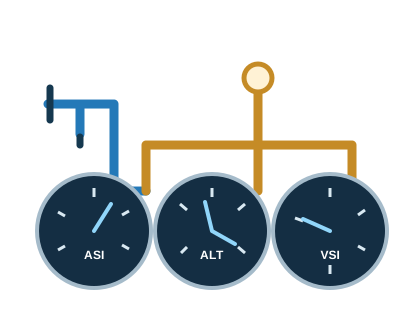
Explore pressure sources, instrument internals, and what changes when an opening is blocked.
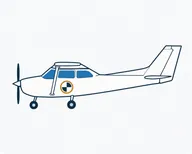
Change passengers, baggage, and fuel to explore weight, center of gravity, and loading limits.
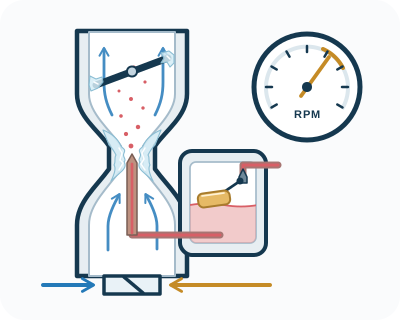
Explore carburetor icing, carb heat, throttle, and mixture with an interactive cutaway and weather controls.
Change a heading or a pressure source, then watch the indications respond. Our instructors use these same visual tools to connect the explanation to what you see.
Practice on your own between flights, then bring your questions back to the next lesson.
Answer from memory, reveal the card, and rate your recall. Adaptive review brings the material that needs attention back into focus.
Our recommendation: ten cards with each meal. Three short sessions make consistent practice easier to maintain.
Pilot Rise develops its own training tools around the concepts our students need to understand. We keep improving this collection and creating new ways to practice—with your instructor and on your own.
Yes. Pilot Rise’s public VOR simulator, pitot-static simulator, Carburetor Ice Lab, Weight and Balance Playground, and flashcard demo are free to use. Each listing links directly to the tool and to a guide explaining how to use it.
Use the VOR simulator for radio navigation, the pitot-static simulator for pressure instruments, the Carburetor Ice Lab for carburetor icing and engine controls, the Weight and Balance Playground for aircraft loading, or aviation flashcards for knowledge review. Choose the topic you are working on with your instructor.
Yes. Pilot Rise built these tools for both instructor demonstrations and independent practice. An instructor can use the visual aids to explain a concept, then have the student change a setting and explain the result.